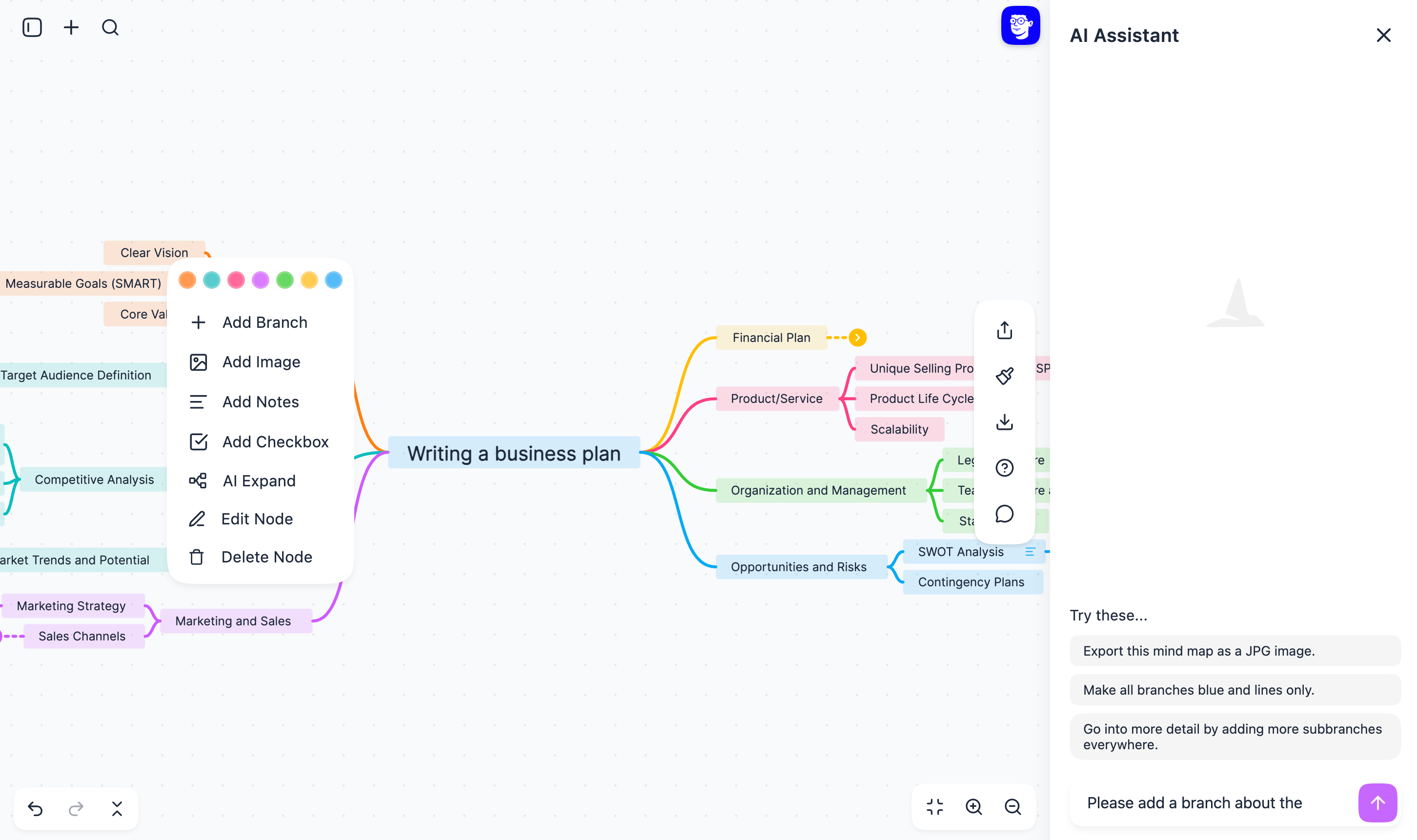
And so much more...
You do the thinking. AI does the working.
Free
$0/mo.
Exporting (Watermarked)
Editing
Sharing via link
No ads
Pro
$27/yr.
$5/mo.
Higher AI assistant usage
Create unlimited mind maps
Insert up to 300 images
AI branch expand
Exporting without watermarks
AI branch summaries
10% Climate donation
and more...
Enterprise
Custom
Everything in Pro
Team collaboration
Enterprise SSO

This is fantastic for middle school science classes. I'm a teacher and I just made one for chemistry (stoichiometry) and one for biology (ecology and ecosystems). Great way to summarize key concepts on certain topics. Thank you!


This is the best thing I’ve seen on the internet today.
Trust me, I’ve seen a
lot.
It’s incredible, it’s amazing, it’s
on another level.

I love it. It's free, it helps me as I am unable to pay. I can also edit the map which makes it amazing as it feels like I can make my personal vision board here. Thanks to whoever came up with such ingenious idea. Cherry on top, I don't even need an account
Via Feedback Form

Fabulous!! I tend to have tons of imaginative ideas for all sorts of things but tend to have a hard time organizing, planning, and following through. I think this is a game-changer for me!

TAAFT.com
This is fantastic for middle school science classes. I'm a teacher and I just made one for chemistry (stoichiometry) and one for biology (ecology and ecosystems). Great way to summarize key concepts on certain topics. Thank you!
Mind Map Wizard is a no-brainer for anyone needing quick, free mind maps without the bloat of premium platforms. If you’re a student drowning in lecture notes or a content creator mapping video scripts, give this tool a spin.

This is the best thing I’ve seen on the internet today.
Trust me, I’ve seen a
lot.
It’s incredible, it’s amazing, it’s
on another level.

This is the best mind map app in existence, and you cannot argue with me on that.
TAAFT.com
This is awesome! If we ever need to talk about something we're not familiar with, this tool gives us useful pointers and helps steer the conversation in the right direction.


Amazing! Time to cancel my mapify subscription.
TAAFT.com

I used this to plan a few DIY project ideas and lesson outlines and it helped get everything out of my head in one place. Some suggestions are a bit broad, but it’s useful when you’re sketching ideas before actually building or teaching them.
TAAFT.com
the interface is so minimal that even my tech-averse colleague figured it out in minutes.

Woah! Clean, quick, easy to use, looks very well done.
I love it. It's free, it helps me as I am unable to pay. I can also edit the map which makes it amazing as it feels like I can make my personal vision board here. Thanks to whoever came up with such ingenious idea. Cherry on top, I don't even need an account
Via Feedback Form
Great app, simple to use, comprehensive results.
Via Feedback Form
Mind Map Wizard is an open-source tool that lets you get a visual overview of any topic in seconds using AI. You don’t need to Google and search pages; you only need to enter your topic, and it will show you everything to know to get a solid starting point.
No, there’s no catch at all. You can generate mind maps immediately for free without needing an account. Plus, for only $3.20 a month, you can access countless additional features like storing your mind maps in the cloud or exporting them.
The best free mind map creator should be fast, easy to start, editable, and useful without forcing you into an account. Mind Map Wizard lets you create a mind map online for free, edit the result, share it, and export it when you need a finished visual.
Yes. You can open Mind Map Wizard, enter a topic, and create a mind map right away without signing up. An account is only needed for extra features such as cloud storage and larger workflows.
Type a topic, paste notes, or add source material, then let Mind Map Wizard build the first structure. After that you can rename branches, reorganize ideas, add details, change colors, and export or share the mind map.
Yes. You can paste class notes, meeting notes, research snippets, outlines, or longer text, and Mind Map Wizard will organize the material into a visual mind map that you can edit afterward.
Yes. Paste a URL and Mind Map Wizard can use it as source material for a new mind map. This is useful for articles, documentation, study resources, and web pages you want to understand quickly.
Yes. You can export mind maps as common visual formats such as PDF, JPG, and SVG, so your map is ready for studying, presentations, documents, handouts, or sharing with a team.
Yes. You can share a mind map with a link so classmates, coworkers, clients, or collaborators can view it. Sharing is helpful when a mind map needs feedback or needs to explain a topic quickly.
Mind Map Wizard is built for students, teachers, researchers, writers, founders, marketers, product teams, and anyone who needs to turn messy information into a clear visual structure.
Mind maps are useful for brainstorming, studying, lesson planning, writing outlines, project planning, meeting summaries, product strategy, research organization, and explaining complex topics in a visual way.
A good mind map creator should make it simple to start, easy to edit, quick to reorganize, and flexible enough to export or share. Mind Map Wizard focuses on speed, clear structure, direct editing, and practical sharing options.
An outline is usually a linear list, while a mind map shows relationships visually around a central topic. Mind maps are often easier for brainstorming, studying, and seeing how ideas connect.
Yes. You can edit branch text, reorganize ideas, collapse large branches, add images, create bullet branches, change colors, and prepare the mind map for the way you want to present or use it.
Now you know everything about our service. Give it a try!
Create Mind MapJoin 45,000+ users!